 April 27, 2026
Visa, residency, and Emirates ID work in the UAE now move through digital records, online checks, and application references. ICP Smart Services gives residents, visitors, sponsors, investors, and companies a central route to check visa files, track Emirates ID requests, review application movement, and access approved records.
The platform is useful for personal and business needs. Someone managing a family visa may use it for status checks. A founder working through the UAE Mainland may need an accurate visa, Emirates ID, and sponsor details before banking, hiring, or licence-related steps continue. This blog explains how the system works, what users can check, and where mistakes create delays.
What Are ICP Smart Services?
A federal digital platform for identity and immigration services
ICP Smart Services is the digital service system linked to UAE identity, citizenship, residency, visa, Emirates ID, passport, family record, and establishment-related processes. It helps users access records, submit selected requests, track application progress, and review details connected to immigration and identity services.
Who uses ICP Smart Services?
The platform is used by UAE citizens, residents, visitors, GCC nationals, sponsors, family applicants, employers, investors, and establishments. A resident may track an Emirates ID renewal. A visitor may check visa validity. An employer may review a worker’s file before onboarding.
Why it matters in daily UAE processes
Visa validity, Emirates ID status, identity records, and service follow-up affect many UAE processes. Banking, tenancy, telecom activation, health insurance, employment files, and business administration can all depend on accurate records within the ICP Smart Services portal.
Key Services Available Through the ICP Smart Services Portal
Visa and entry permit services
The ICP Smart Services portal gives users access to visa and entry permit-related checks. A user may search for ICP Smart Services visa status to confirm whether a visa file is approved, active, expired, under process, returned, rejected, or cancelled. This helps before travel, hiring, renewal, or document submission.
Residency and Emirates ID services
Residency and Emirates ID services cover new applications, renewals, replacements, updates, and card tracking. Users may need a PRAN, IDN, Emirates ID number, request number, or another linked reference to locate the correct record.
Sponsor and establishment-linked services
Sponsors and companies use ICP records for dependants, employees, domestic workers, and establishment-linked applicants. A founder working through a UAE Free Zone may need visa and ID details aligned across business setup, employee onboarding, renewals, and sponsor records.
Fine payment and application tracking
The system may show application references, pending actions, status movement, returned files, and selected payment-related steps. Users checking ICP Smart Services visa check results should read each status carefully before starting another request.
How to Access ICP Smart Services Login in 2026
Using the official ICP Smart Services portal
Users should access the ICP Smart Services login only through recognised government routes. Visa, passport, Emirates ID, sponsor, and payment information are sensitive, which makes the correct portal important.
Login options for registered users
Some services require UAE Pass, a registered account, mobile verification, email access, Emirates ID details, or an application reference. The required route depends on the service selected and the record being checked.
Public access for selected checks
Certain checks may work through reference details, passport information, PRAN, IDN, or request numbers. Users searching for ICP beta Smart Services may reach a newer access interface, but the service should still connect to ICP digital records.
How to Check Visa Status Through ICP Smart Services
Details needed before starting the check
An ICP Smart Services visa status check depends on exact details. Users may need a passport number, nationality, application number, visa file number, Emirates ID number, request token, or sponsor reference. The required details change by visa type and service route.
Passport spelling must match the record. A renewed passport, old nationality details, wrong file number, or expired reference can stop the result from appearing. The system does not correct these errors for the user.
ICP Smart Services visa status check process
Open the official portal and choose the relevant service, such as file validity, application status, or visa status. Enter the requested details exactly as they appear on the passport, visa copy, application receipt, or official confirmation.
The displayed result should be reviewed before saving, printing, or sharing it. ICP Smart Service visa status check is useful when a person, sponsor, or business needs to confirm the current position of a visa file.
What the status result may show
The result may show approved, under process, returned, rejected, active, expired, or cancelled. A returned file may need correction. A pending file may need payment, documents, biometrics, medical steps, or sponsor action before movement continues.
Cases where Dubai records may follow a different route
Some Dubai-linked files may need a Dubai immigration route. If a record does not appear through ICP, users should check whether the entry permit, residence permit, establishment card, or related file was issued through a Dubai-specific channel.
How to Check Emirates ID Status on ICP Smart Services
Details needed for Emirates ID status checks
Emirates ID tracking generally needs a PRAN, Emirates ID number, request number, IDN, or linked application reference. Renewal, replacement, and first-time card applications may ask for different identifiers. Users should use the details printed on receipts, SMS alerts, emails, or official confirmations.
What the result may indicate
The result may show application received, under review, printing, dispatched, delivered, or returned for action. Each stage reflects a separate step. Approval does not always mean the card has already reached delivery.
Why this check matters
Emirates ID status affects banking, telecom, tenancy, insurance, employment records, and portal access. A pending card can delay onboarding for employees and document processing for residents. Businesses using UAE ICP Smart Services should check ID movement before planning the next step.
How to Download an E-Visa from ICP Smart Services
When the e-visa becomes available
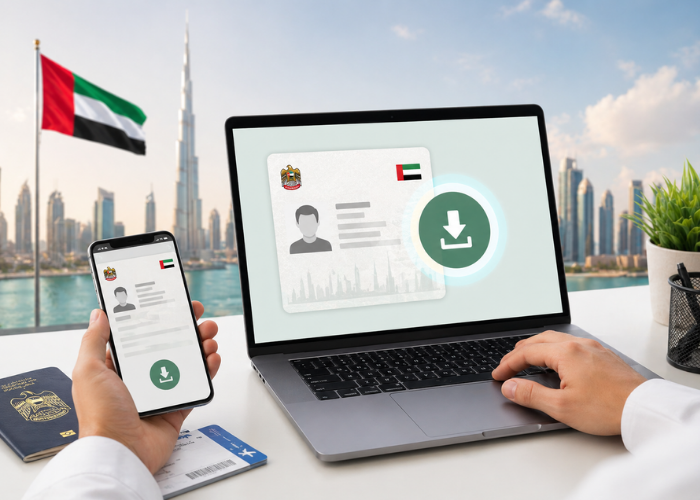
An e-visa becomes available after approval and digital issuance. The download option may not appear when the request is under process, returned for correction, awaiting payment, or linked to another account.
Steps to download the e-visa
Users need to access the ICP Smart Services login, open the approved application or visa record, review the visa details, and select the download or print option. A clear copy should be saved for travel, sponsor files, onboarding, or personal records.
What to verify before using it
The name, passport number, nationality, visa type, validity dates, and sponsor details must be checked before use. Any visible error should be corrected before travel, employment processing, or submission to another service channel.
ICP Smart Services for Business Owners, Investors, and Sponsors
Why investors and founders use ICP records regularly
Business owners use UAE ICP Smart Services because visa validity, Emirates ID movement, and sponsor-linked files connect with company setup and residency stages. An investor may need to check visa approval, track ID status, or confirm sponsor details after formation.
A founder working through the Dubai Mainland may depend on these records during investor visa processing, employee onboarding, lease documentation, banking, and licence-linked procedures. A mismatch in one record can affect several connected steps.
Why employers and sponsors need accurate records
Employers and sponsors need correct records for employee visas, dependant files, renewals, cancellations, and data updates. Passport details, Emirates ID information, establishment records, sponsor files, and company information must align before applications move cleanly.
Why clean records support smoother company operations
Clean records support immigration compliance, onboarding, document handling, renewals, and corporate administration. When several employees or dependants are involved, structured handling reduces repeated corrections, missed references, and unnecessary follow-up across government service channels.
What are ICP Beta Smart Services?
A newer access interface for ICP services
ICP beta Smart Services refers to a newer interface or access route linked to ICP digital services. It gives users another way to reach visa, residency, Emirates ID, and service request options online.
What users should keep in mind
The beta interface should not be treated as a separate authority. Users should confirm the domain, select the correct service category, check every detail before submission, and save request numbers, payment receipts, and confirmation messages.
Common Problems Users Face on ICP Smart Services
Entering incorrect personal or file details
Most failed checks begin with a small mismatch. A wrong passport digit, old file number, spelling difference, expired reference, or incorrect nationality can stop the record from appearing. The safest check is against the passport, visa copy, receipt, or application confirmation.
Using the wrong record or wrong platform
Some records do not appear because the user is checking the wrong route. Dubai-linked files, federal files, establishment records, and application-specific records may follow different channels. The issuing authority should guide the search.
Missing request token or reference details
A request token is easy to miss after submission. It may be in an SMS, email, payment receipt, typing centre paper, sponsor file, or portal account history. Without it, the user may struggle to trace the exact request.
Status not updated yet
A file may remain unchanged after payment, document upload, biometrics, or correction. This does not always mean the request has failed. The existing application should be checked properly before a new one is started.
Safety Tips Before Using ICP Smart Services
Use official channels only
Visa, Emirates ID, passport, sponsor, and payment details should be entered only through recognised government routes. Unverified pages can expose sensitive personal information and create avoidable risk.
Keep all records consistent
Passport details, Emirates ID information, sponsor records, mobile numbers, email addresses, and application references should match before submission. Consistency reduces delays across visa, ID, and sponsor-linked requests.
Save every receipt and reference
Every receipt, request token, payment reference, SMS alert, and application record should be kept until the file is closed. These small details become useful when a status needs checking or a correction has to be raised later.
When to Get Professional Help with ICP Smart Services
Simple checks can be handled directly
A visa status check or Emirates ID lookup is manageable when the user has the correct passport details, request number, and application reference. These checks do not need much support unless the record fails to appear.
Complex cases need closer handling
Issues become harder when the file is linked to an investor visa, employee visa, sponsor change, expired record, rejected request, or company application. In such cases, one wrong detail can hold back the next step.
Dubai Firmz support for UAE visa and ID processes
Dubai Firmz can help with document preparation, PRO services, business setup-linked visa handling, Golden Visa support, and government process follow-up. This is useful when visa files, Emirates ID records, sponsor details, and company documents need to be reviewed together.
Where guided support helps
A company operating through the Dubai Free Zone may need support when employee files, visa records, Emirates ID details, and business activity must remain aligned. Clear handling reduces repeated corrections and keeps the process easier to track.
Conclusion: Using ICP Smart Services the Right Way
ICP Smart Services is useful only when the details behind the request are clean. A visa check, Emirates ID update, residency record, or application follow-up can slow down quickly if the passport number, sponsor file, or request reference is wrong. Users should keep receipts, request tokens, payment records, and status results until the file is fully closed. Dubai-issued records may also need a different immigration route, which is where many people lose time. For business owners, sponsors, and investors, the safer approach is to keep visa, ID, sponsor, and company records aligned before starting the next step.
FAQs
What are ICP smart services?
ICP Smart Services is the UAE’s online platform for visa, residency, Emirates ID, identity, and application-related services used by residents, visitors, sponsors, citizens, investors, companies, and authorised establishments.
What is a request token in ICP smart services?
A request token in ICP Smart Services is a tracking reference linked to a submitted application or transaction. It helps users identify, retrieve, verify, or follow the correct service request.
How to download an e visa from ICP smart services?
Log in to the ICP Smart Services portal, open the approved visa application, review the visa details, then use the download or print option to save the e-visa copy.
How to check visa status in ICP smart services?
Open the ICP Smart Services portal, choose the visa status or file validity service, enter the required passport or application details, then review the result displayed for the file.
How to check travel bans in ICP smart services?
Travel ban checks may require police, court, immigration, GDRFA, ICP, or authorised legal channels. The correct route depends on the case type, emirate, and related file record.